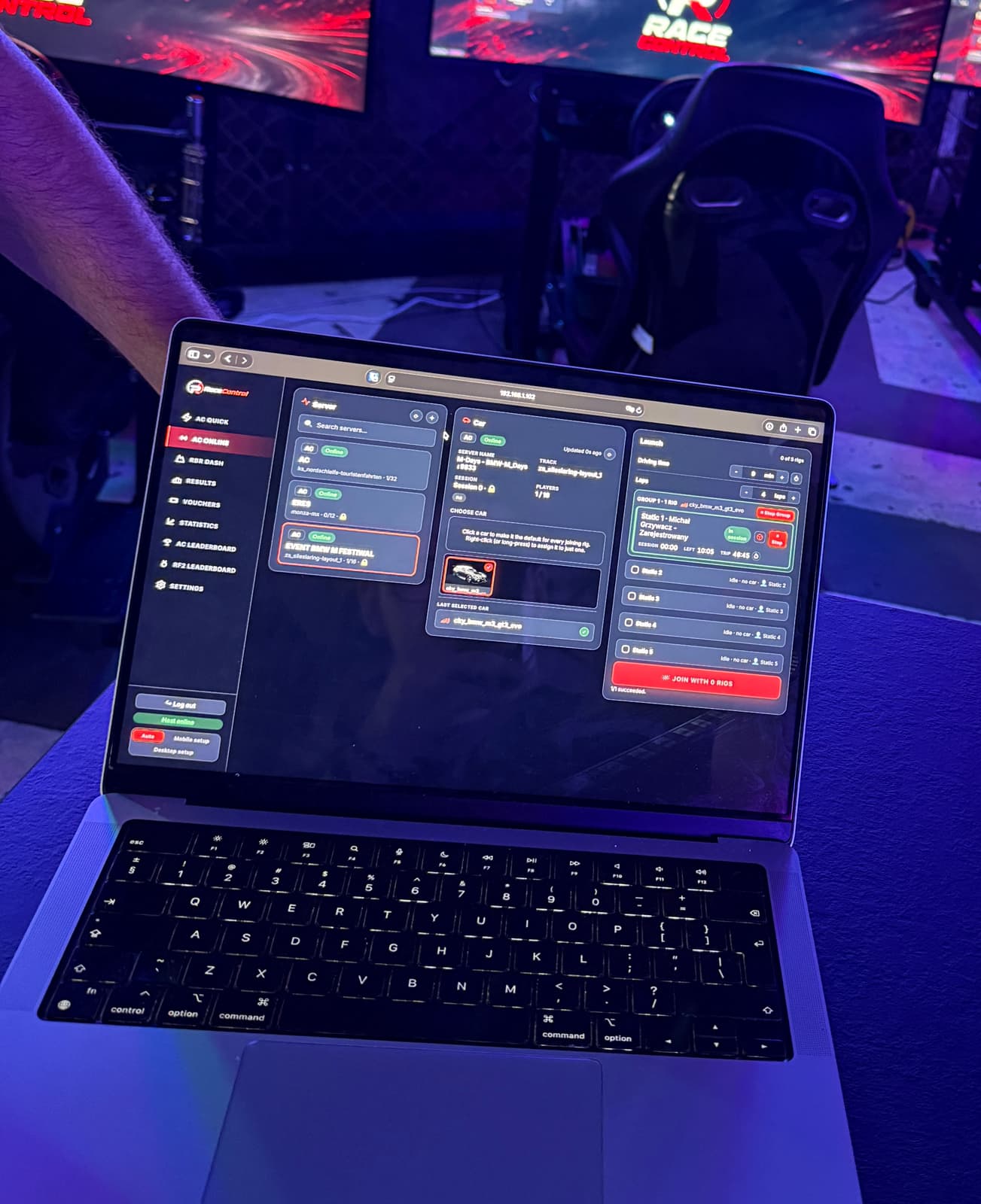
One Host computer connects your simulators over the local network. Explore session controls, simulator management, results, customer registration and vouchers, with screenshots of the software.
Launch sessions and join servers from the operator dashboard. Use local dedicated servers, session limits, content synchronisation and leaderboards.
A dedicated dashboard for selecting each simulator’s stage and car, setting session limits, recording results and tracking distance.
Drivers choose a car and track and start a session on the simulator’s screen. The catalogue includes previews and track maps. Results are sent to the Host and the rFactor 2 leaderboard.
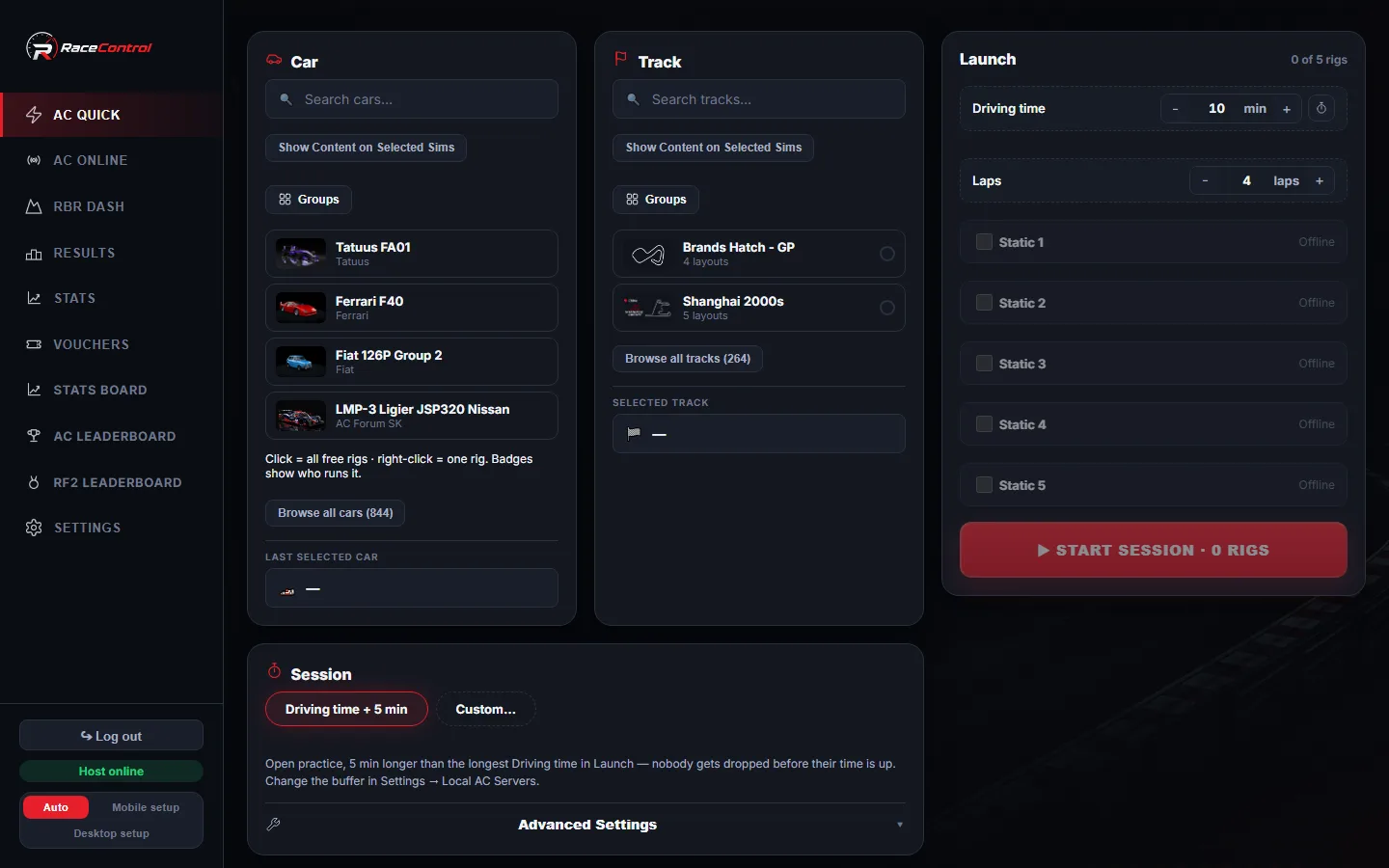
Choose a car and track, select the simulators and launch the session. Status tiles show who is driving and the remaining session time.
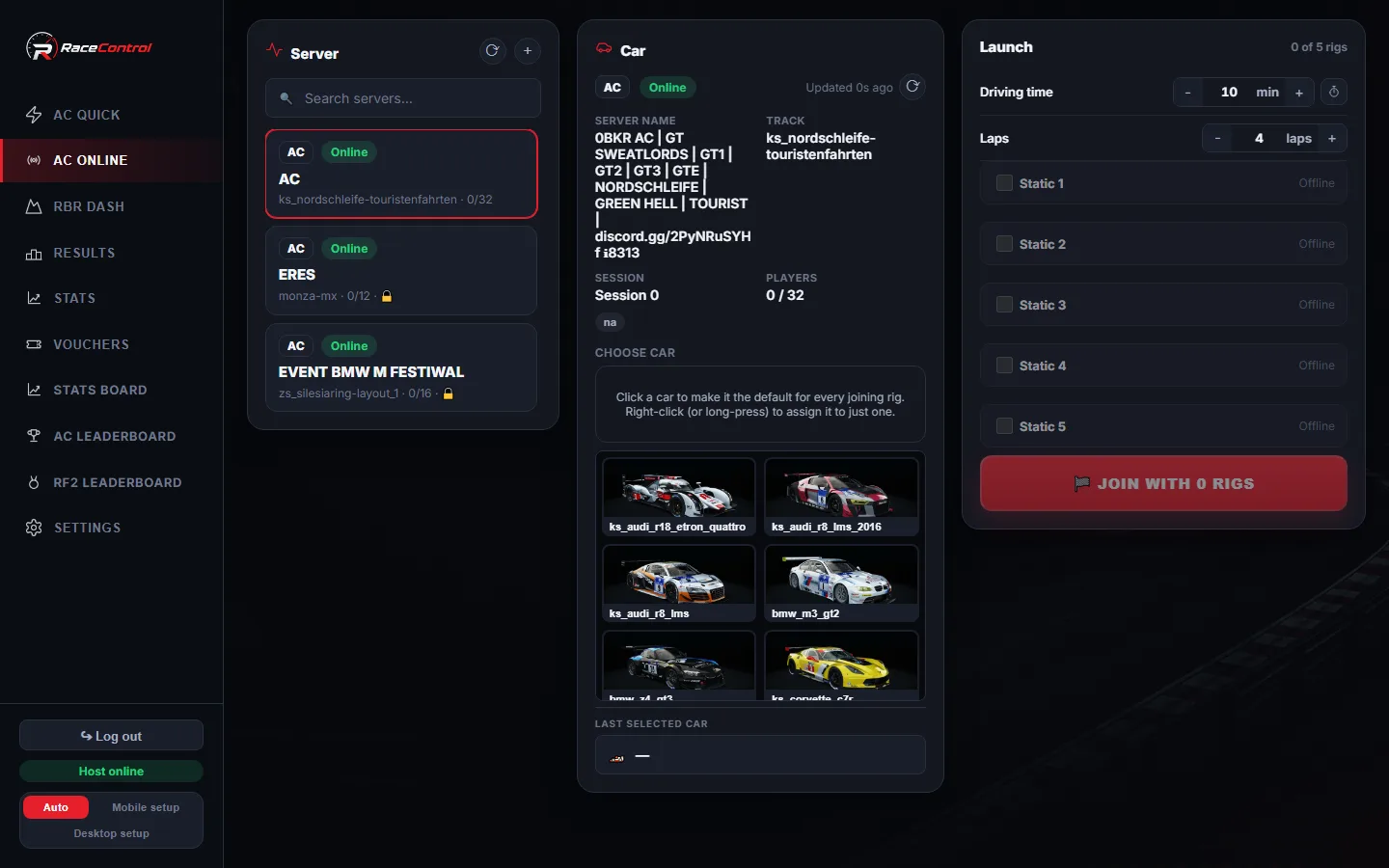
Connect selected simulators to your own or an external server. View its current track, available cars and player count in the dashboard.
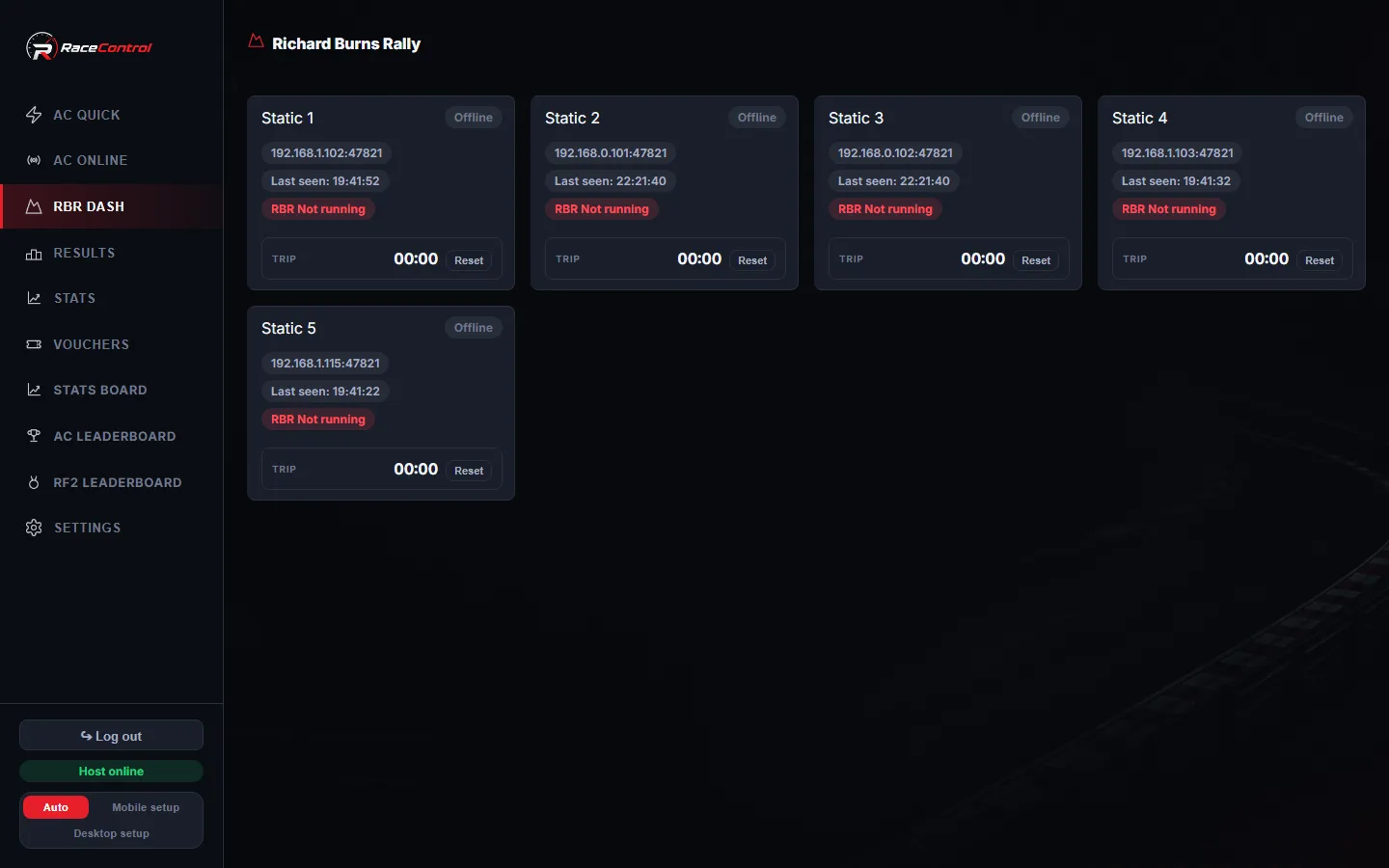
Select stages and cars for individual simulators, set session limits and record Richard Burns Rally results automatically.
Simulators launched together appear on one group card with a Stop Group button. Split or merge groups when you need to reorganise a session.
Right-click or long-press a car to give it to one rig instead of the whole grid — in both AC Quick and AC Online.
Create sets such as “GT3”, “Rally stages” or “Beginner cars”. Select a set to filter the catalogue quickly.
Send a content group to a simulator so the driver can choose a car or track. The dashboard shows which drivers have not yet made a selection.
Display a name prompt on the simulator’s screen. If the driver has not answered when you launch, RaceControl asks whether to wait or start the session.
Choose Pro, Amateur, Beginner or Default for each simulator. The corresponding assist settings are applied before the game starts.
Enable automatic gears or the racing line, or return a stranded car to the pits without stopping the session.
Needs Custom Shaders Patch on the rigSet a session length in minutes, laps or both. The lap counter includes the current lap and allows a short grace period at the finish line.
Remaining time appears in an overlay above the game and an in-game indicator. The colour changes from white to yellow at five minutes, then red in the final minute.
A running distance counter per rig that you can zero individually or across the whole fleet.
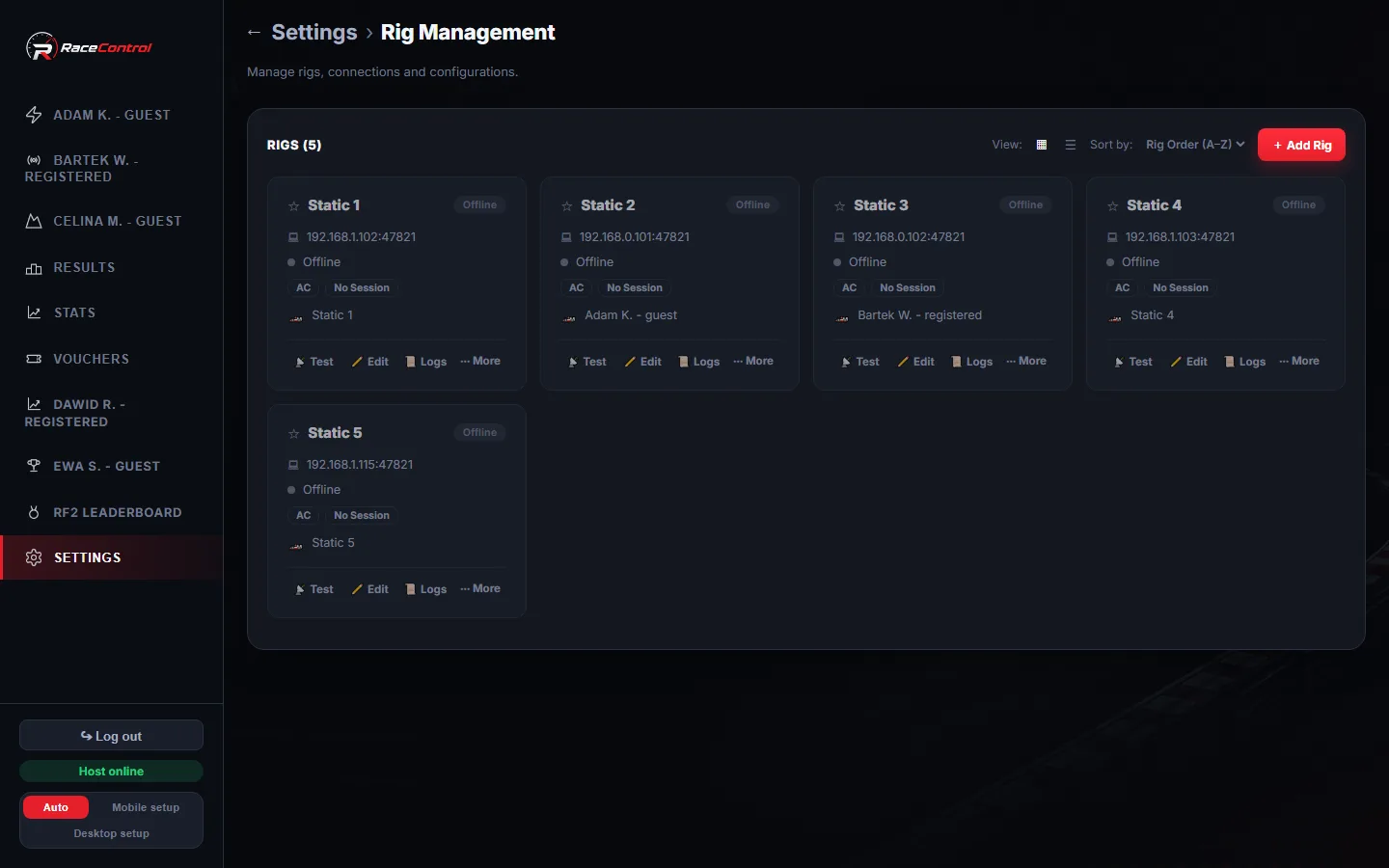
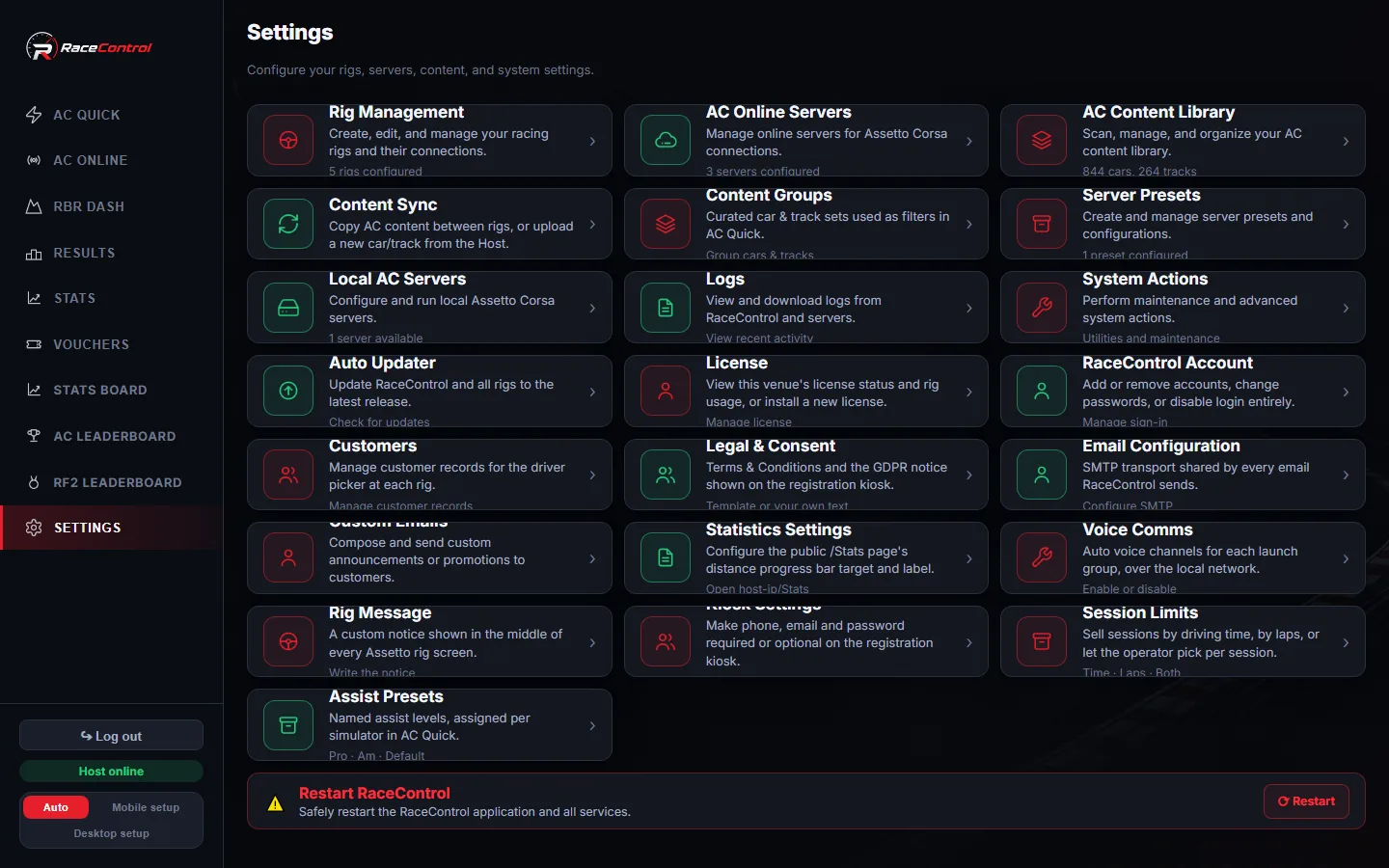
View each simulator’s name, station number, colour, tag, installation paths, connection status and current activity.
New simulators report their address to the Host. Use “Fetch from rig” to retrieve the name, paths, tag, colour and station number.
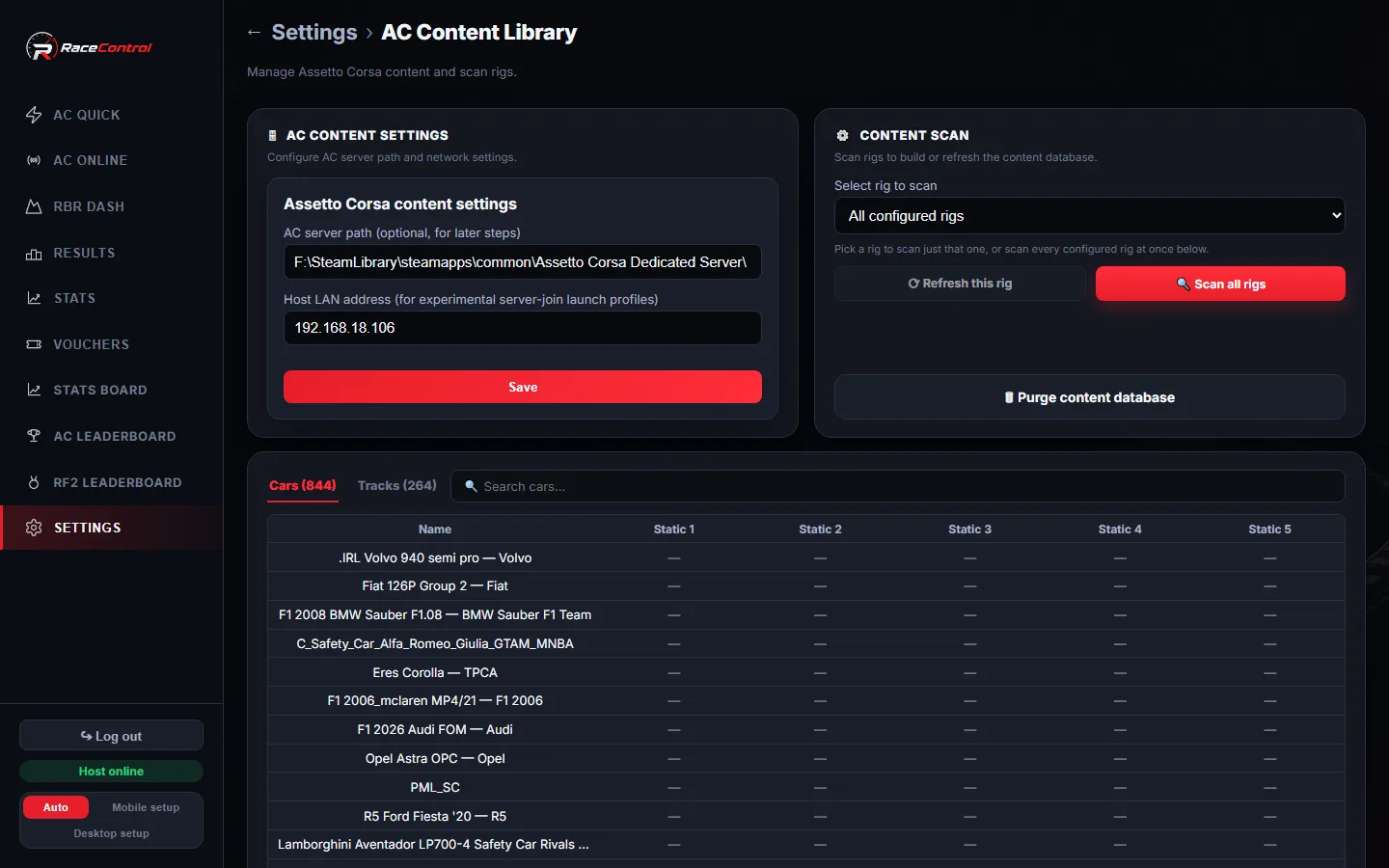
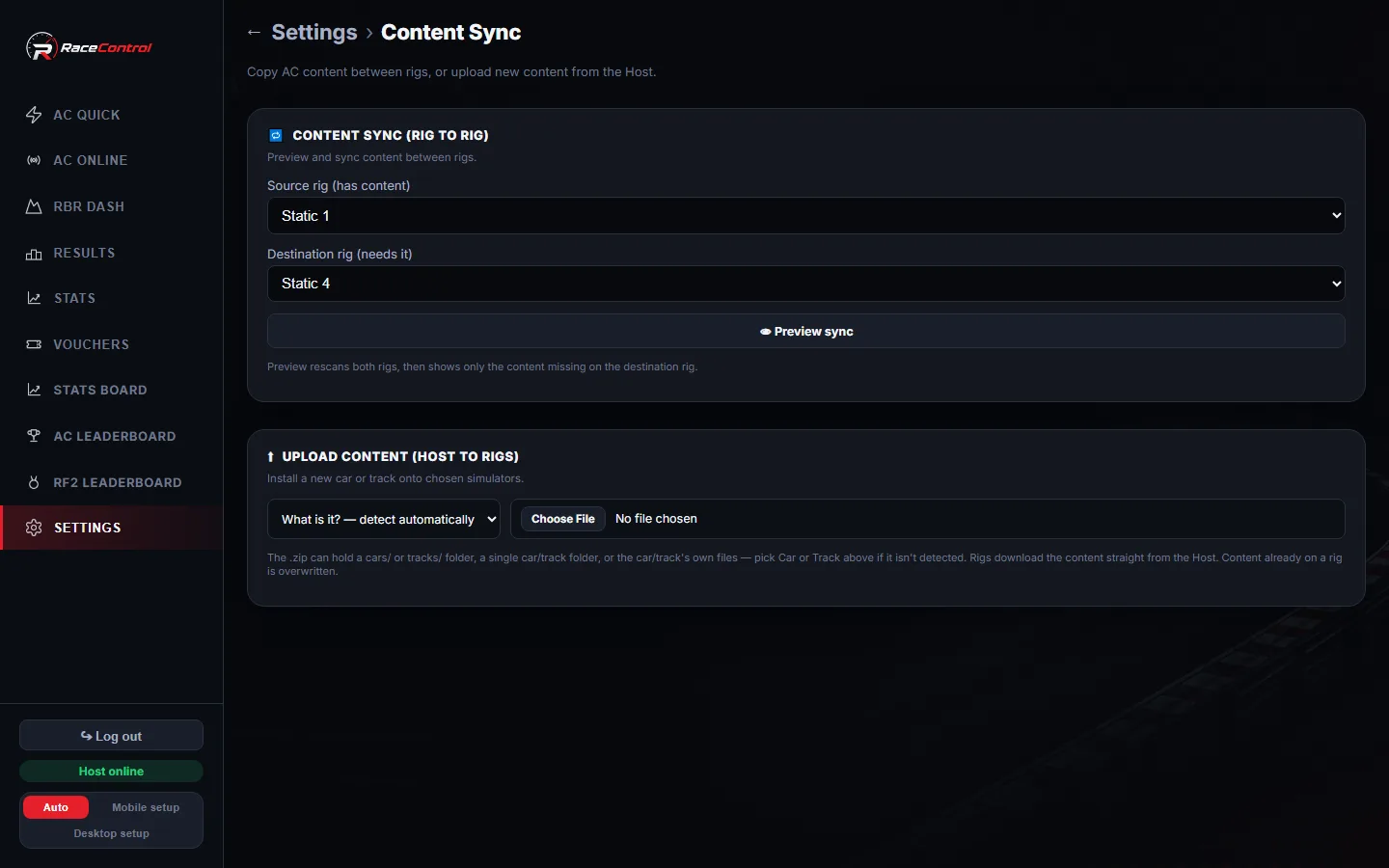
Browse a shared catalogue of cars and tracks, scan simulators on demand and copy missing content between computers.
See which cars and tracks are missing from each simulator. Unavailable content is greyed out in AC Quick to help you prepare a session.
Upload a car or track archive to the Host and distribute it to the simulators over the local network.
Monitor each simulator’s CPU load, RAM, disk and uptime from the dashboard.
Each session group has a voice channel for drivers and the operator. Mute participants, adjust individual volume and use noise suppression. Audio travels directly over the local network.
Write a message such as “Register at the front desk”. It remains visible on the simulator screens until you clear it.
Check connections, restart or shut down simulators and reset distance counters. Bulk actions require confirmation.
Display your venue’s logo and background on simulator screens while they wait for a session.
Simulator and kiosk apps can start automatically when the user signs in to Windows, including after a computer restart.
Download the whole database as a file, or export rigs, servers and presets as JSON, straight from the settings screen.
Set session types, weather, grip and the entry list in the dashboard. RaceControl generates the configuration files, including server_cfg.ini.
Run a separate dedicated server for each simulator group. Automatically created presets are removed when the server stops.
Add any AC server by address and see its live track, car list, session type and player count pulled from the server itself.
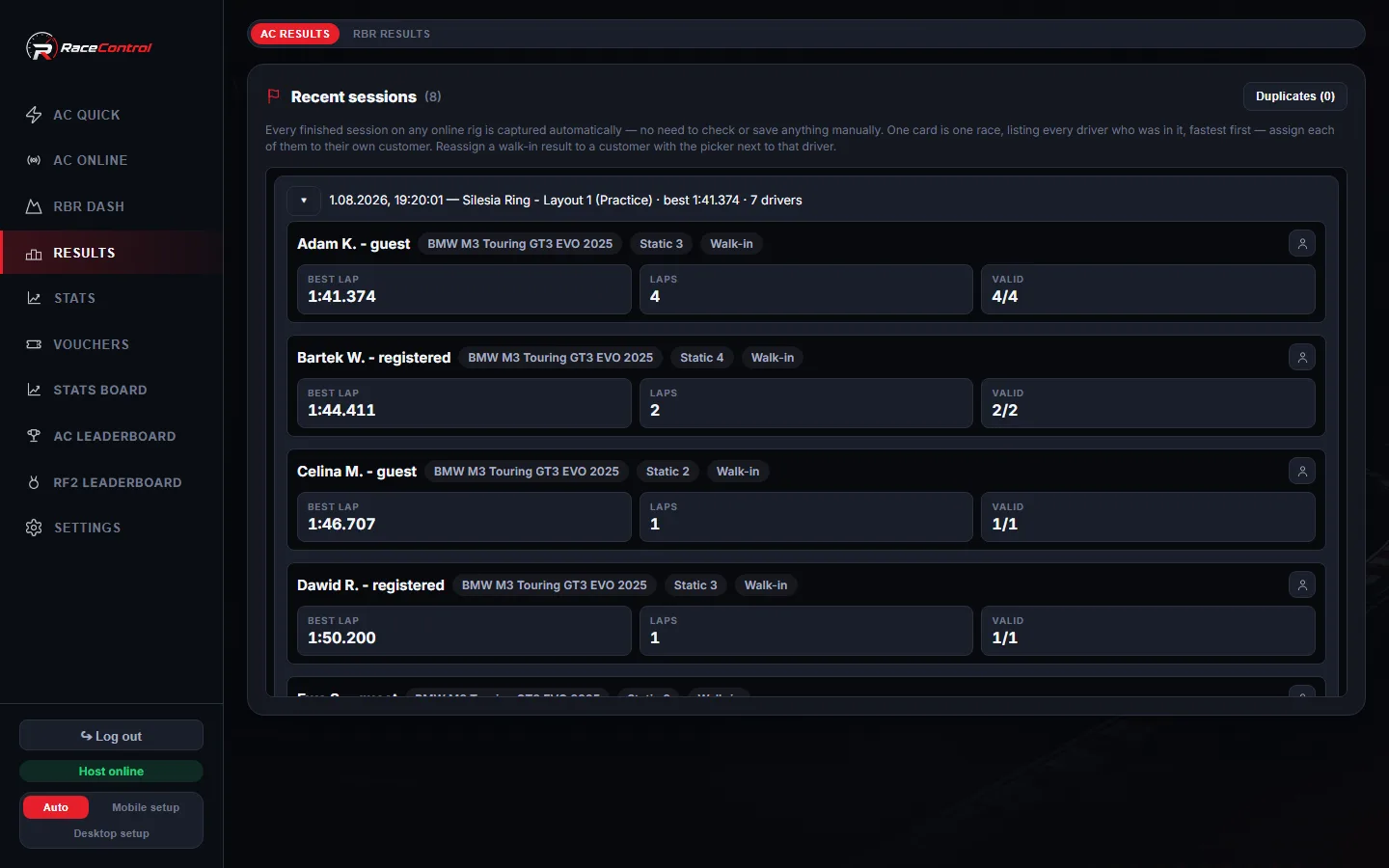
Search saved results and lap times, review the associated drivers and export data to CSV.
Completed session results are saved automatically, including supported sessions started outside RaceControl.
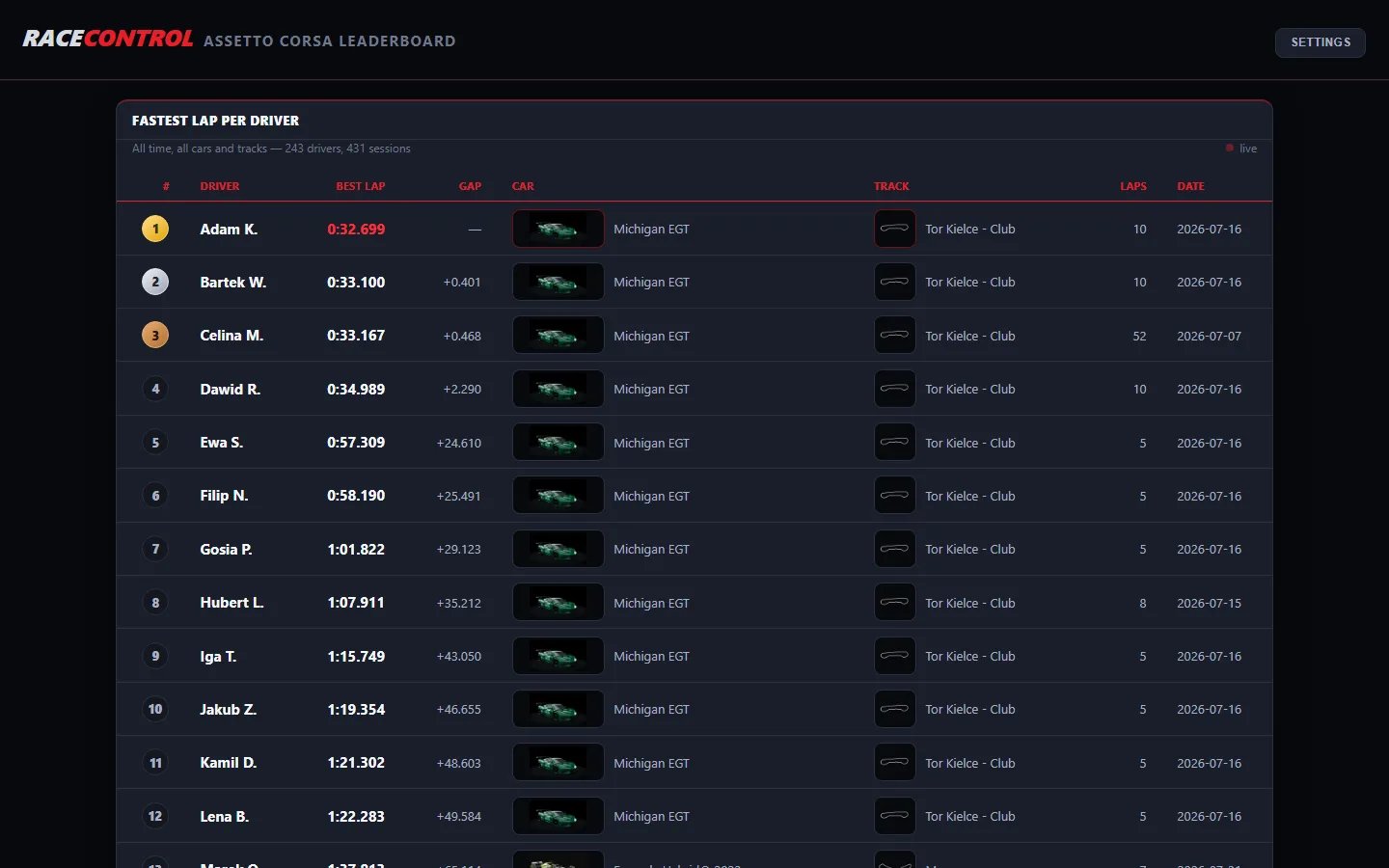
Display full-screen Assetto Corsa and rFactor 2 leaderboards on your local network without logging in. Results refresh automatically. Bookmark a filtered URL to return to a particular track or date range.
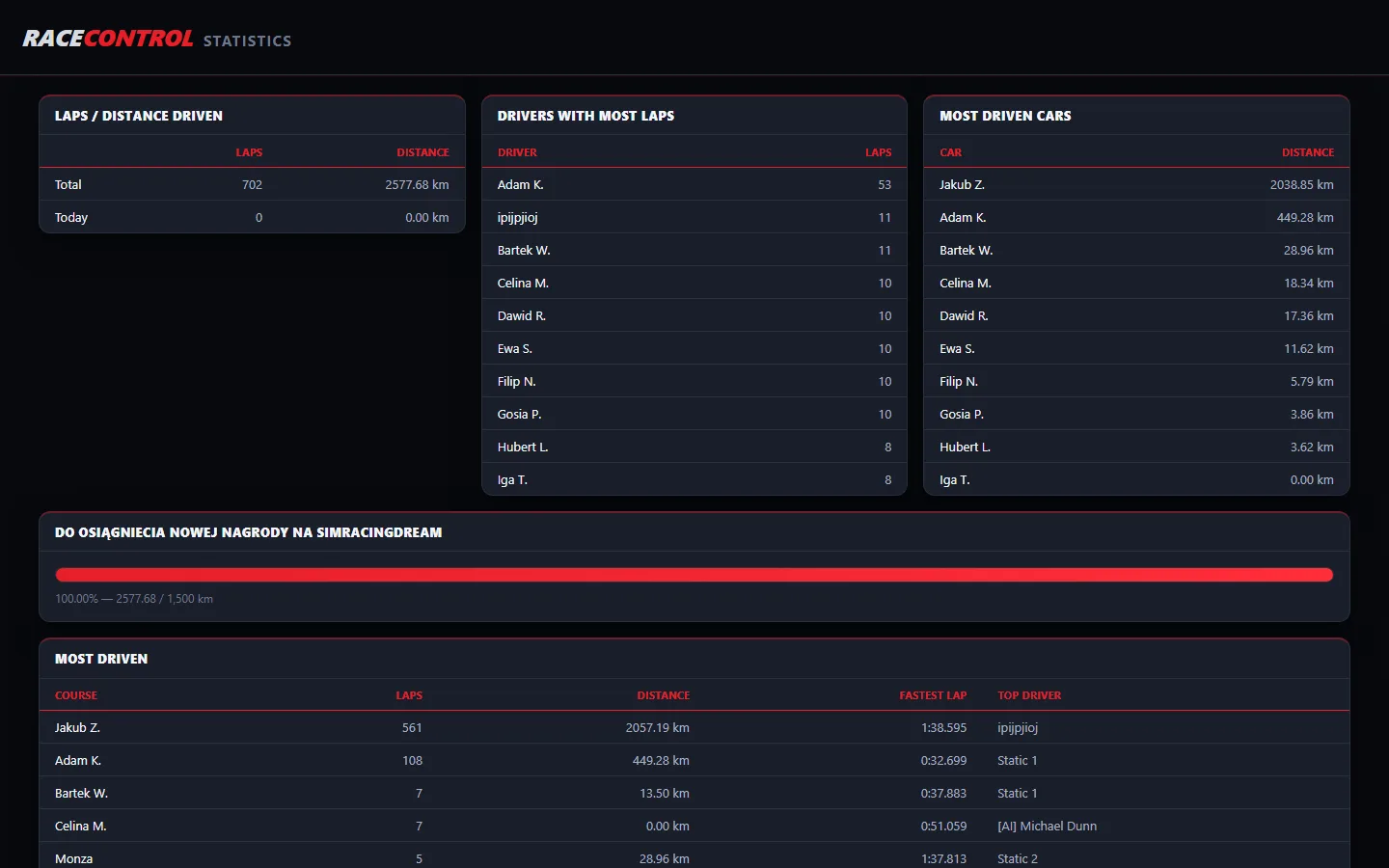
Display total laps, distance, driver activity and popular cars and tracks. Set a distance target for the progress bar; the default is 384,400 km.
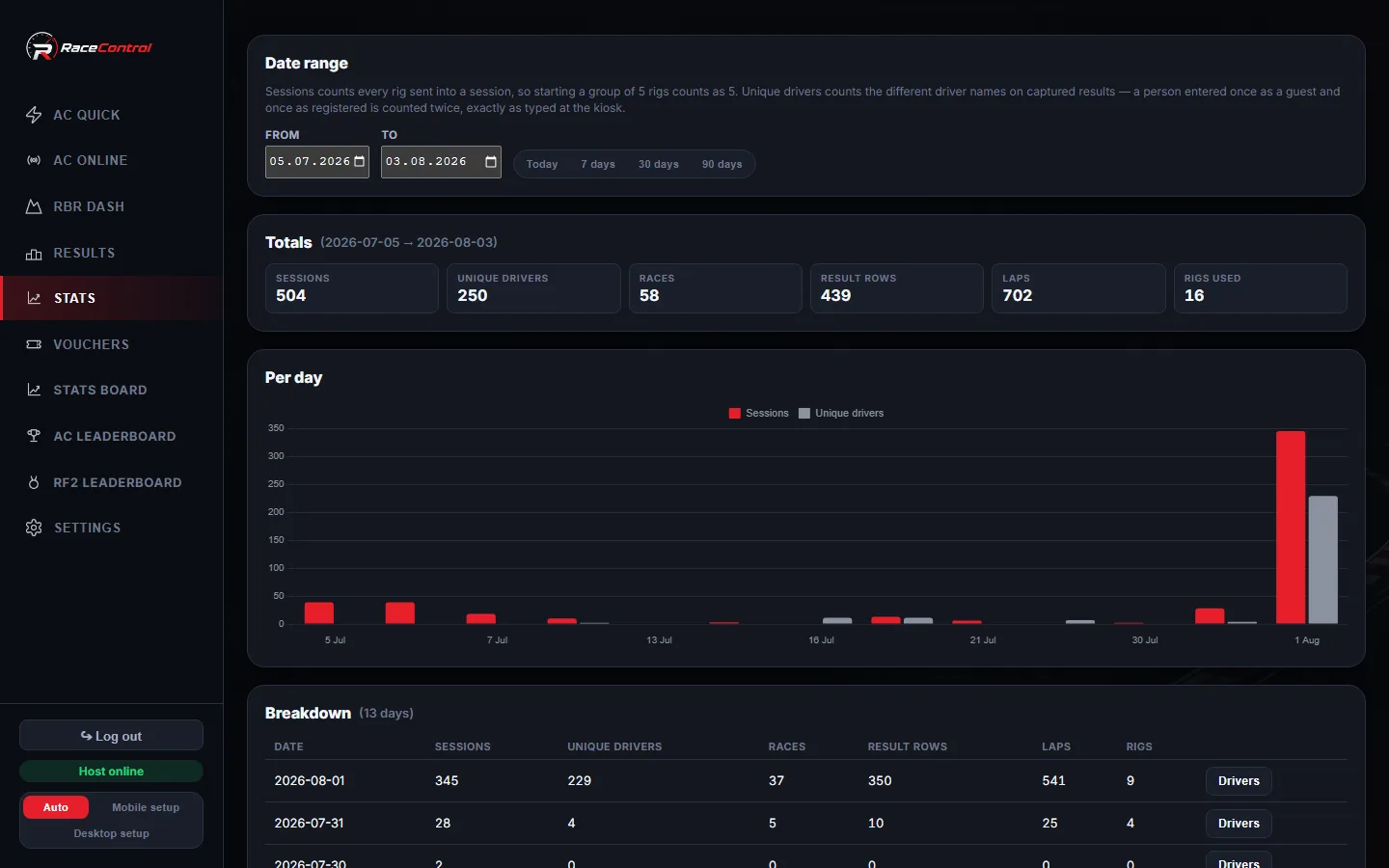
View daily session and driver counts. Choose today or the last 7, 30 or 90 days, and open a day to see its drivers.
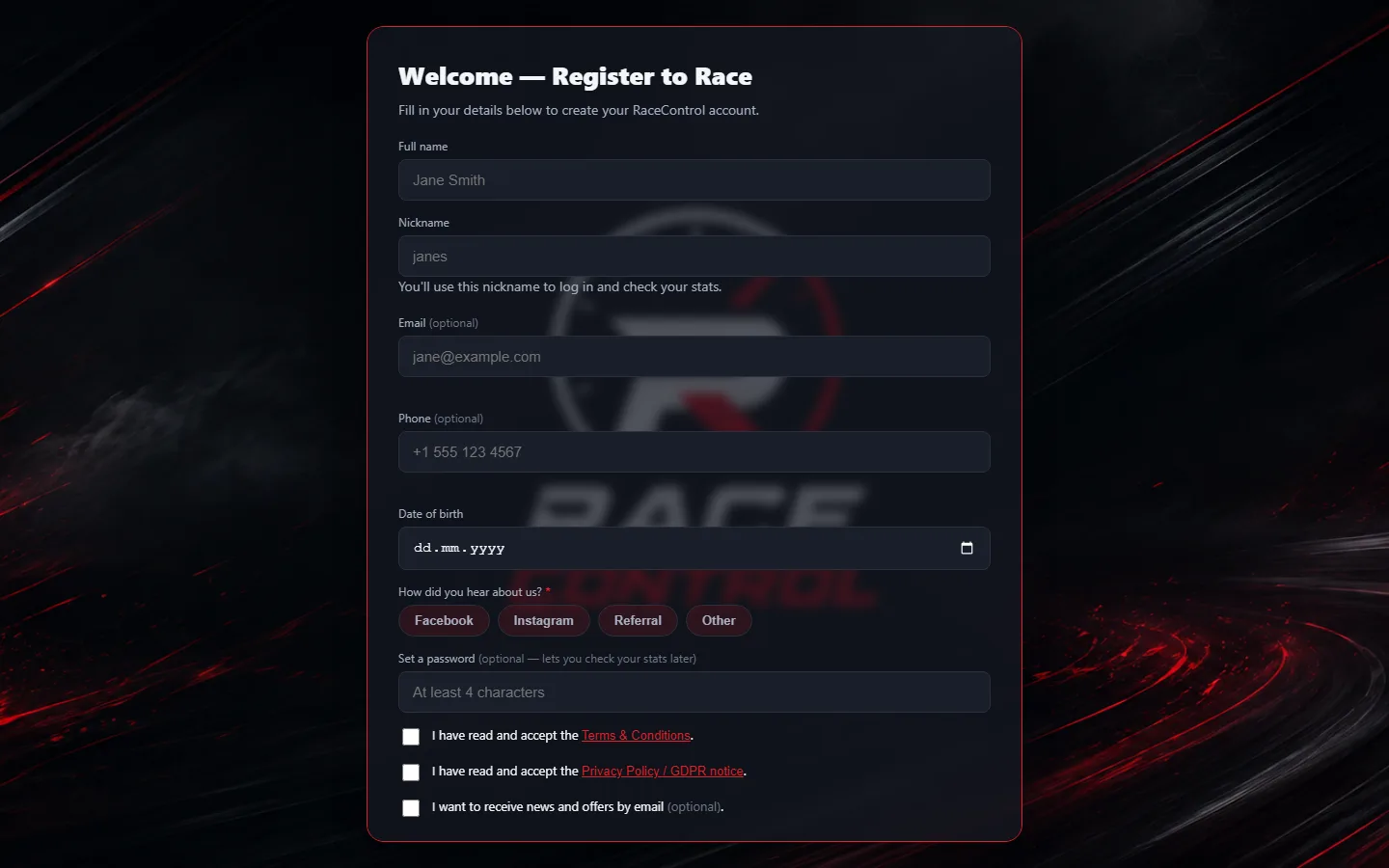
Customers register on a touchscreen at the entrance. Their details appear directly in the operator’s driver list.
Choose whether phone numbers, email addresses and passwords are required or optional. The system checks these requirements during registration.
Simplify registration to first and last name. Associate registrations with an event and add a custom yes/no question.
Used at BMW M Festival 2026 — see the event pageDisplay your own terms and privacy information at the kiosk. Required confirmations in the standard registration form are recorded with a date and time.
Assign a registered driver to a simulator before launch so results and lap times are saved to their profile.
Every session a customer has driven, their best laps and when they were last in — on one screen at the desk.
Returning drivers sign in at the kiosk to view lap times, personal bests and session history.
Drivers can update their nickname, email address and phone number at the kiosk, or opt out of marketing messages.
Show the best times for the current track on the simulator’s screen.
Import your existing customer list from a CSV file.
Record the driver’s date of birth and confirmation of parental consent during registration for underage drivers.
Delete customer records from the operator dashboard on request.
Check driver names before they reach the leaderboard, using a word list covering 28 languages.
The filter uses a word list and may miss altered spellings.Enable welcome messages, results after each session and daily summaries separately.
Prepare a message with images and your logo, then send it to your mailing list. The footer includes an unsubscribe option.
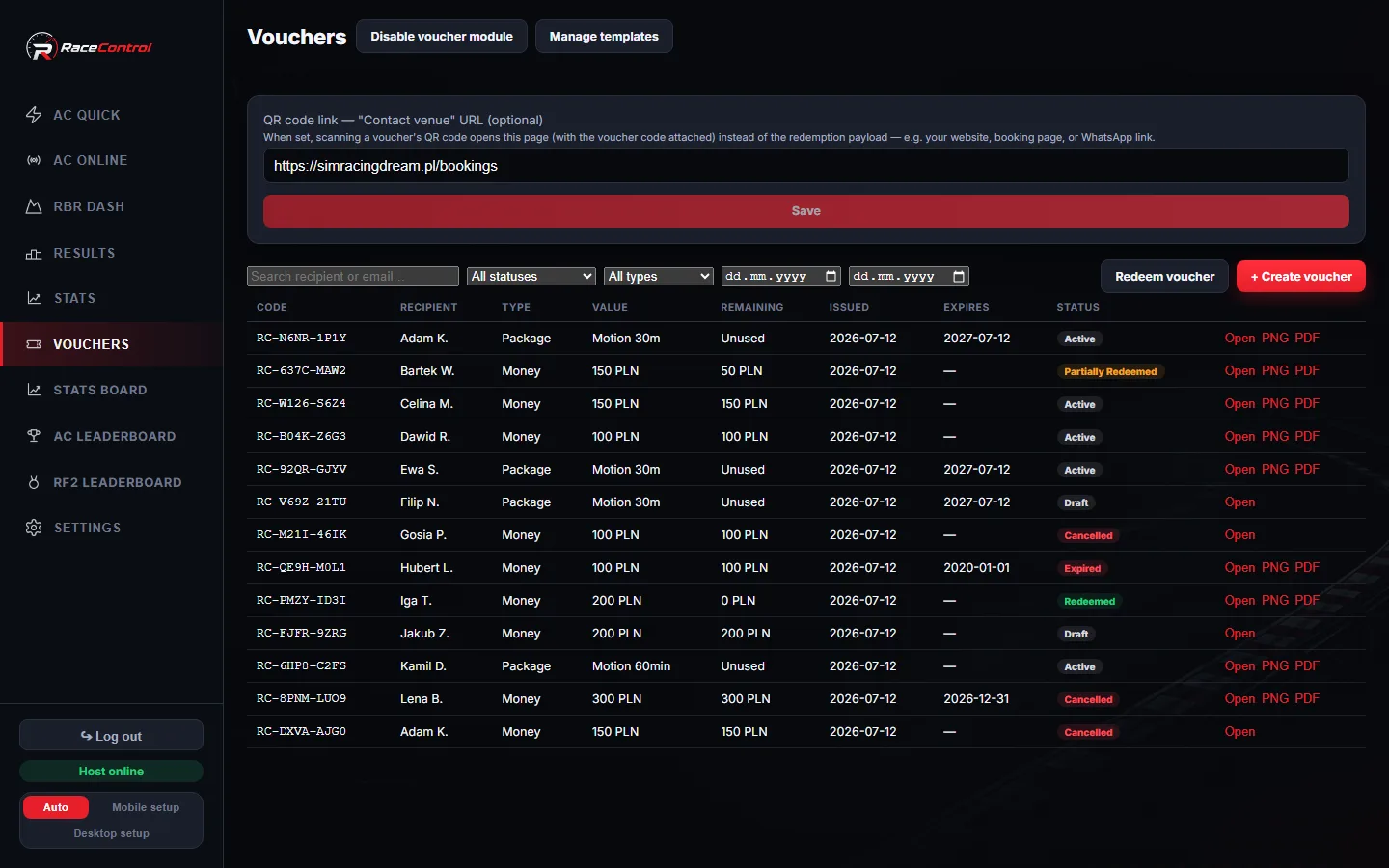
Issue vouchers for a monetary value, driving time, sessions or a package. Set expiry dates, allow partial redemption and track status. Codes omit O, 0, I and 1 to reduce transcription errors.
Position the recipient’s name, code, value, expiry date and message on your own artwork. Save as PDF or PNG, then print or email the voucher.
Enter a code, paste a link or scan a QR code at the desk. Associate the redemption with a simulator and session. The system prevents the same redemption transaction from being processed twice.
Set your venue’s contact or booking page as the QR destination. The printed code opens that page with the voucher information attached.
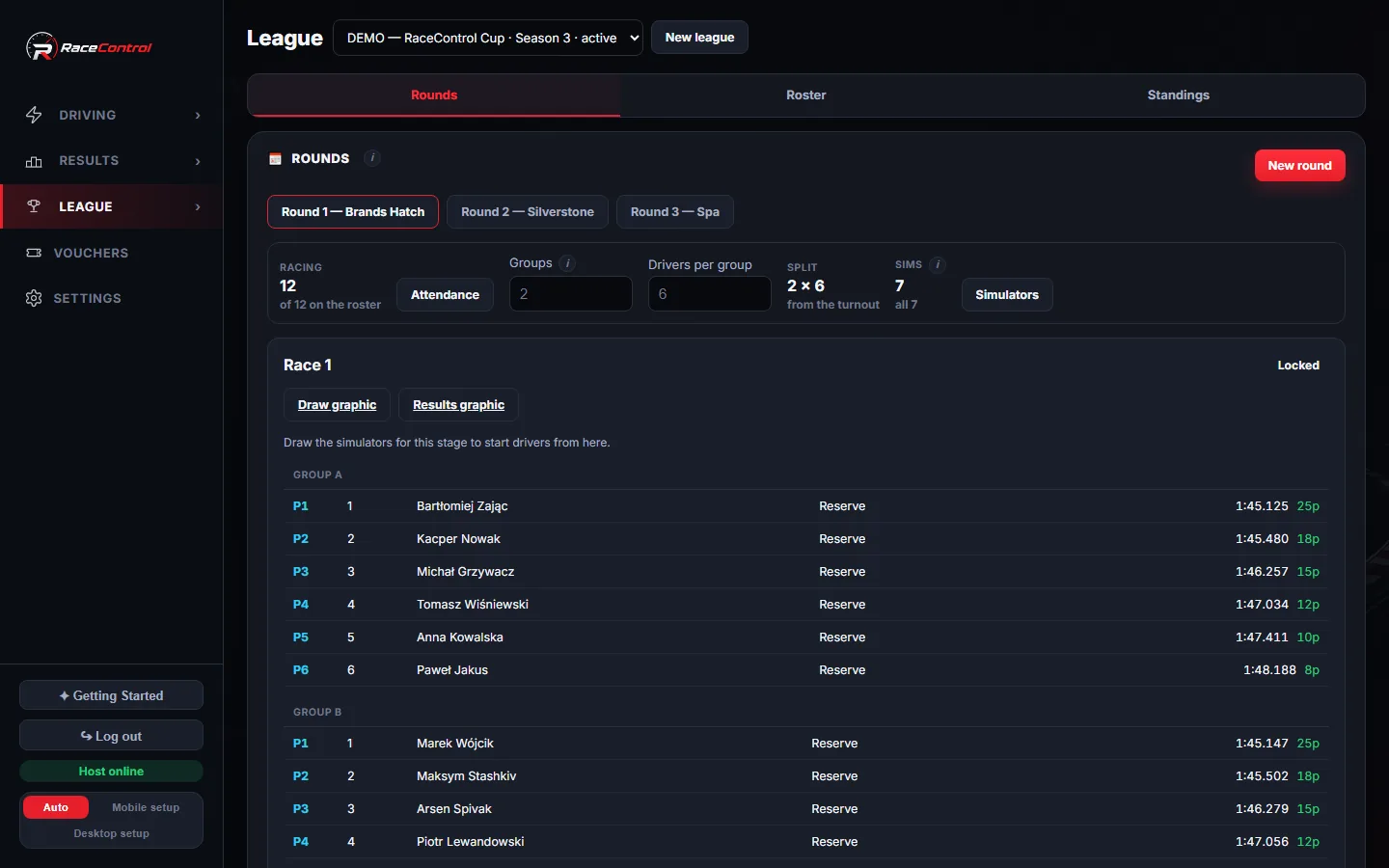
Keep every league’s drivers in one place. Attendance per round sizes the groups automatically.
Build a season from configurable rounds: qualifying, race and reverse-grid, or a prequalifier plus two races. Per-group points tables and reverse-grid start positions.
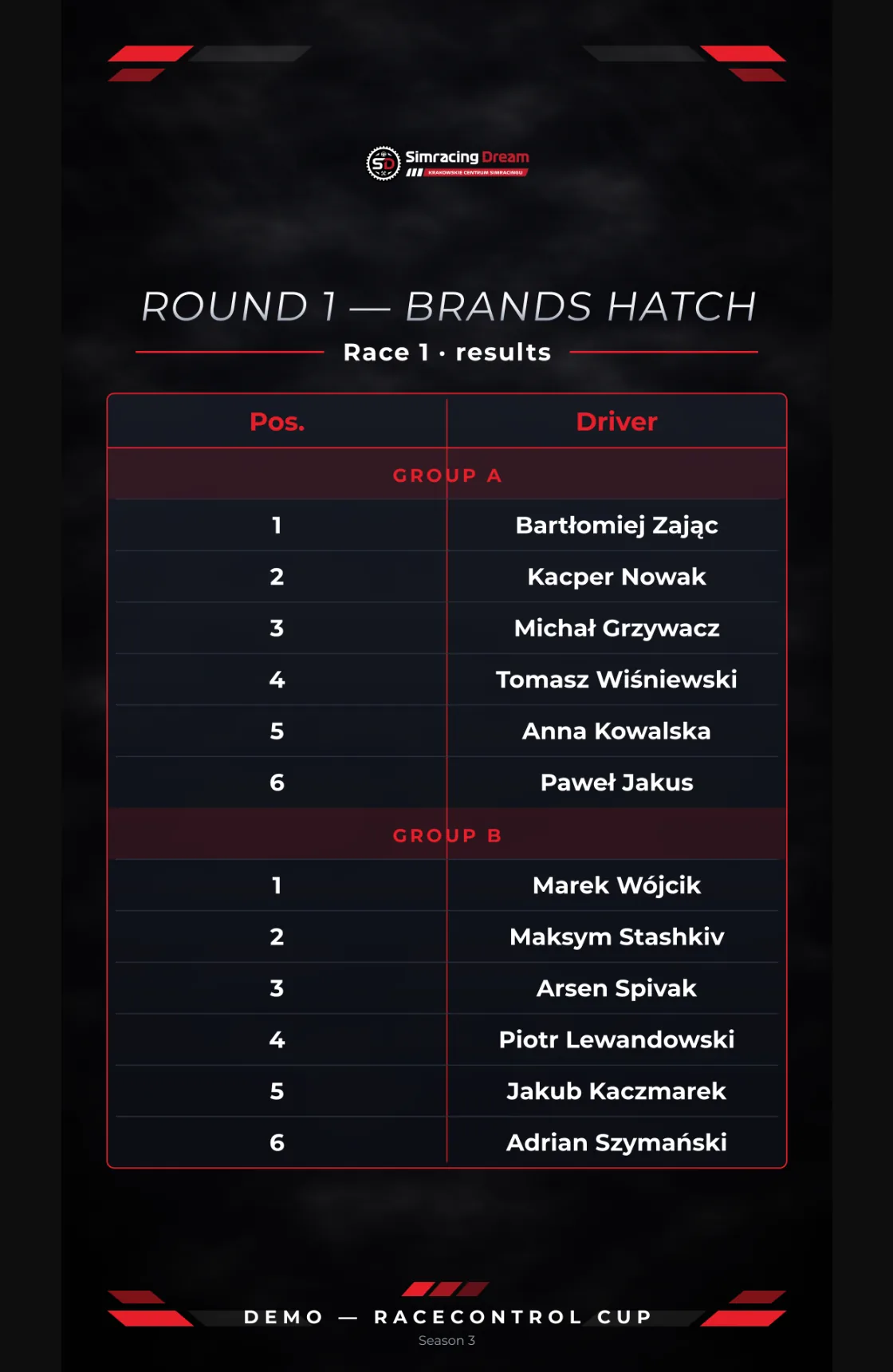
Assign drivers to simulators so nobody repeats a rig across a round or season. A seeded draw is reproducible, and the seed is printed on the graphic.
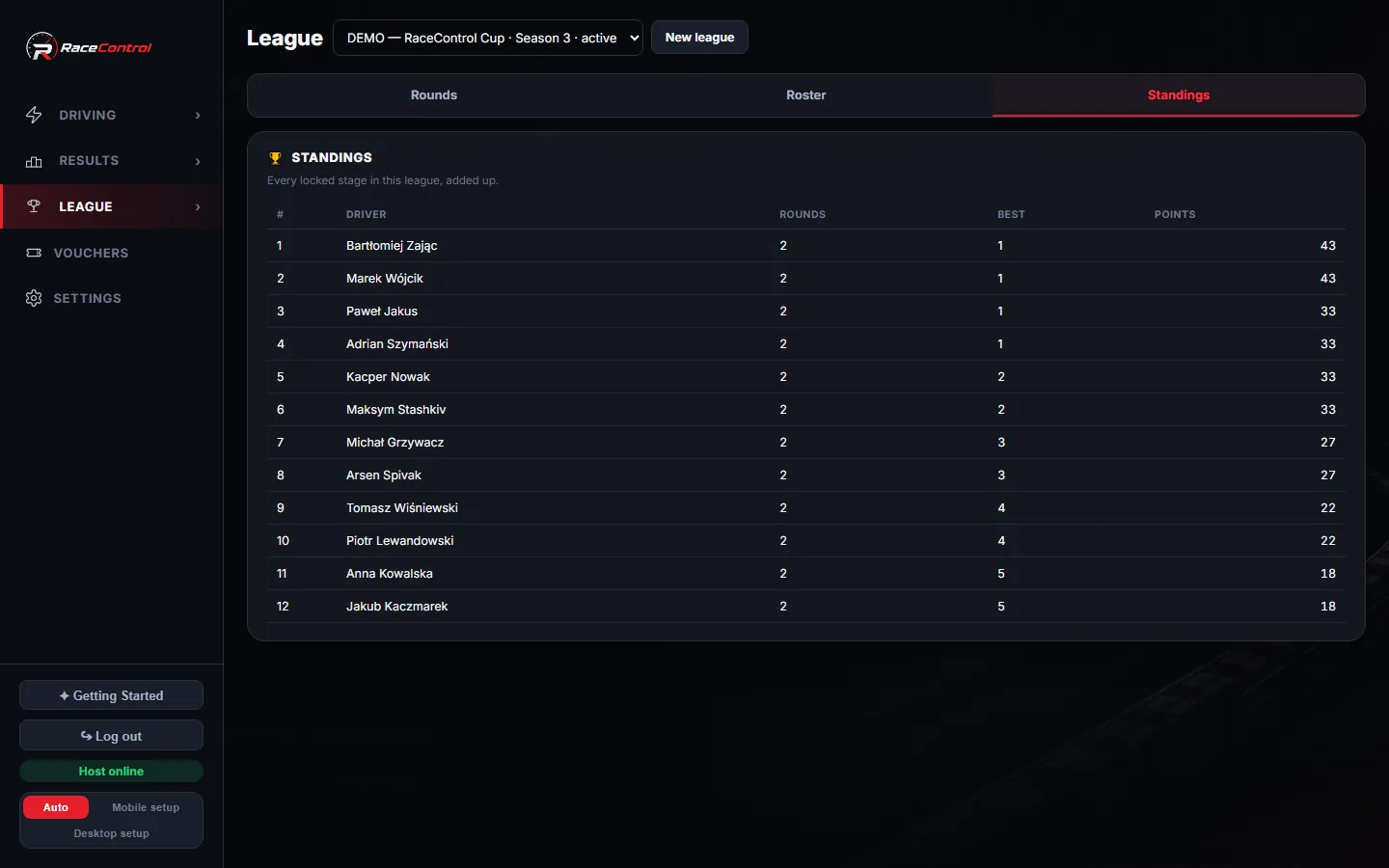
Round and season standings update from captured results, ready to read on the wall or share.
Generate 1080×1920 posters for Instagram Stories and Reels in Clean or Poster styles — league logo, custom background with a dim slider, and round-standings snapshots.
Choose which simulators run a given round. Each league gets its own AC server, car and time limit.
Import a round’s results from Assetto Corsa Server Manager, including per-heat and per-group races.
Pick the online server and push the drawn names straight to the rigs with Assign drivers.
The Host runs on a computer at your venue. Simulators, kiosks and the operator dashboard connect to it over your local network.
Manage updates for the Host, simulators and kiosks from one place. Stations retrieve files from the Host over the local network and restart the app.
Updates replace program files while preserving the database, local settings and credentials.
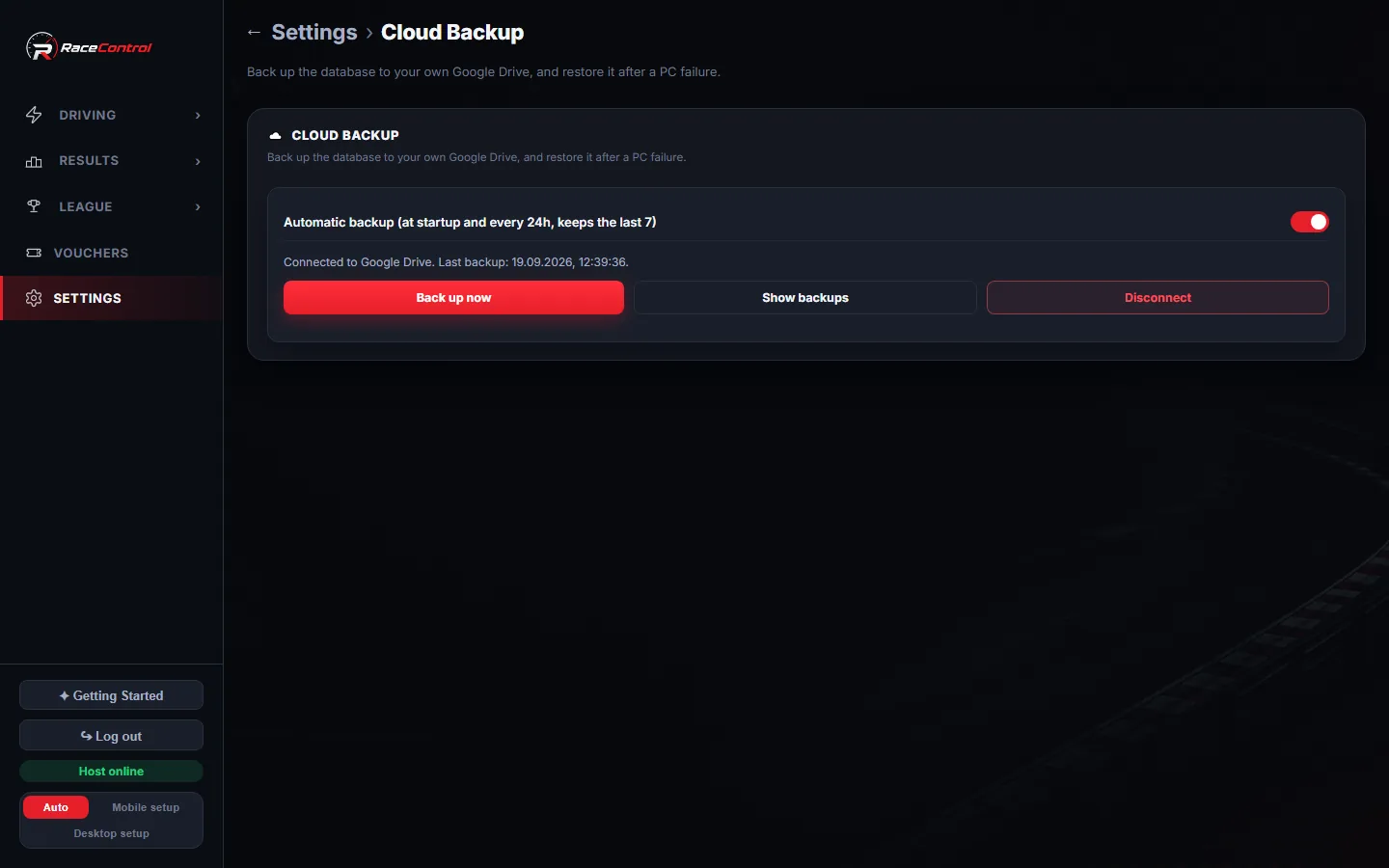
Back up the database to your own Google Drive automatically — at startup and every 24 hours, keeping the last seven copies — and restore it with one click after a PC failure.
Your licence sets the number of simulators, with each one approved individually. A limited grace period allows operation during a temporary loss of connection to the licence verification service.
Create individual staff accounts and review their actions in the audit log.
Use the dashboard on a phone, tablet or computer. Switch layouts manually when needed.
Tell us how many simulators you operate and which games you use. We’ll demonstrate how RaceControl works.
Book a demo — michal.grzywaczvrt@gmail.com